
When you type “What is Claude AI?” into Google, you typically find the same four surface-level sentences across tech blogs: it is an AI chatbot developed by Anthropic that writes text. While that definition works for a casual user, it falls short for growth teams and engineers searching for high-performing Claude AI for Marketers and builders to scale real-world workflows.
The most effective mental model is to treat Claude AI as a structured reasoning engine rather than a simple lookup database. While standard search engines retrieve static data, Claude processes complex problems using deep contextual inputs—whether you feed it a multi-page brand voice guideline, competitor gap analysis, dynamic code repository, or raw customer interview transcripts. Understanding this fundamental difference shapes how you prompt the model, what quality of output you can expect, and how you evaluate Claude AI vs ChatGPT, Gemini, Perplexity, Copilot, or Llama.
In this comprehensive guide to Claude AI for Marketers and builders, we break down everything you need to dominate your niche:
- What is Claude AI and how its underlying architecture operates
- An end-to-end breakdown of core Claude AI Features and capabilities
- A direct Claude AI vs ChatGPT comparison across production speed, tone fidelity, and reasoning
- A real-world 90-day case study demonstrating a 210% organic traffic surge
- Common enterprise pitfalls and a field-tested prompt execution framework
Foundations & Core Architecture: What Claude AI Actually Is
Claude AI is a family of AI models and applications built by Anthropic, an AI safety and research company founded in 2021 by former OpenAI researchers, including siblings Dario and Daniela Amodei. Claude can hold extended conversations, draft and edit long-form content, analyze documents and images, write and debug code, and carry out multi-step tasks inside connected apps and tools.
At a technical level, Claude AI works like other large language models: it’s trained on enormous volumes of text and learns to predict the next unit of language in a sequence. That mechanism is what lets it write, summarize, translate, and carry a coherent argument across thousands of words. What separates Claude from a generic autocomplete engine is how it uses that mechanism — holding onto instructions, tone, and constraints across a genuinely long interaction instead of drifting after a few paragraphs.
Anthropic’s Safety-First Philosophy
Anthropic is headquartered in San Francisco and frames its mission around building reliable, interpretable, and steerable AI systems. That is not just marketing language — it shows up directly in day-to-day Claude AI features. When testing Claude AI vs ChatGPT, Claude AI tends to be more conservative than some competing chatbots when a request is ambiguous or carries real-world risk, and it is explicit about uncertainty rather than confidently guessing. For agencies and in-house teams analyzing what is Claude AI and putting it in front of client work, that trade-off is worth knowing before you build a dependency on it: you get more caution, not less
How Claude Handles Massive Context Windows
Context window size is the single biggest practical differentiator between AI tools, and it is among the most vital Claude AI features that most beginner guides skip. Claude AI’s flagship models — Sonnet 5 and Opus 5 — support up to a 1 million token context window on paid plans, according to Anthropic’s own documentation. Haiku 4.5, the fastest and cheapest model in the lineup, runs a 200,000 token window. In plain terms, a million tokens is roughly 750,000 words — enough to hold an entire codebase, a full year of internal documentation, or dozens of long-form articles in a single conversation. In any practical comparison of Claude AI vs ChatGPT, this means you can paste in a client’s entire brand style guide, three competitor teardown documents, and a full keyword matrix in one go, and Claude AI will reason across all of it at once instead of forgetting the brand guide by the time it reaches the keyword list. That is the foundational reason behind what is Claude AI and why the model performs so differently from a “write me a blog post” one-line prompt — the model is not limited by memory the way a shorter-context tool is, making these massive memory capabilities standard across all advanced Claude AI features.
Claude AI Features and Capabilities: A Deep-Dive Breakdown
Here’s a functional breakdown of what’s actually inside Claude AI today, beyond the chat box.
Chat & Writing
The core experience: long-form content drafting, editing, brainstorming, and document or image analysis, available on web, iOS, Android, and desktop. This is where most marketers spend the bulk of their time, and where Claude AI’s context handling shows up most directly — holding tone and structure consistently across a 2,000-word pillar page instead of degrading into generic phrasing by paragraph six.
Claude Code
An agentic coding tool that builds, debugs, and refactors software from plain-language instructions rather than requiring you to write every line yourself. It runs in the terminal, in IDE integrations, and inside the desktop app, and it shares its usage pool with the rest of a Claude subscription. For technical marketers and builders, this is the bridge between “I have a content strategy” and “I have a working landing page or schema implementation.”
Claude Cowork
An agentic assistant built for non-developers that works directly inside your files, folders, and connected apps to complete multi-step tasks — organizing a messy folder, building a spreadsheet with working formulas, or drafting a set of documents from raw notes. Where Chat is a conversation, Cowork is a working session: you describe the outcome, and Claude plans and executes it, checking in with you at key decision points rather than requiring step-by-step instructions.
Artifacts
A dedicated space for generating and iterating on a single reusable output — a document, a piece of code, an interactive prototype — separate from the back-and-forth of the chat itself. For content teams, this is where a drafted article, a data visualization, or a client-facing deliverable actually lives and gets refined.
Projects
Projects let you organize related chats, documents, and instructions into one persistent workspace. Instead of re-explaining a client’s brand voice or a campaign’s keyword strategy in every new conversation, you set it once at the project level and every chat inside that project inherits the context.
Memory & Skills
Memory lets Claude retain relevant context across separate sessions rather than starting from zero every time. Skills are reusable instruction sets — essentially packaged expertise — that Claude loads for a specific kind of recurring work, so a well-built SEO brief format or a schema-generation process doesn’t need to be re-explained from scratch on every project.
MCP Connectors
The Model Context Protocol (MCP) connects Claude AI to external tools and data sources — Google Drive, Slack, project management systems, CRMs, and more — so it can pull in and act on live business data instead of working only from what you paste manually into the chat. This is what turns it from a drafting tool into something closer to an operational layer across a marketing or engineering stack.
Extended (Adaptive) Thinking
Claude’s newer models use adaptive thinking: the model decides how much internal reasoning effort a given request needs, spending more computational “thought” on a complex strategic problem and less on a quick factual question. For developers using the API, this effort level is directly selectable — useful when you need Claude to reason harder through a genuinely difficult multi-step task rather than rushing to an answer.
Multimodal Analysis
Claude can read and reason over images and documents — PDFs, screenshots, charts, scanned contracts — not just plain text. For a marketing team, that means feeding it a competitor’s actual landing page screenshot, a client’s PDF brand guidelines, or a hand-drawn wireframe and getting a genuinely contextual response back, rather than needing everything transcribed into plain text first.

Claude AI vs ChatGPT vs Gemini vs Perplexity vs Copilot vs Llama: The Competitive Matrix
After more than a year running all six of these side by side on real client work, here’s the honest breakdown — not a benchmark score, a practical one.
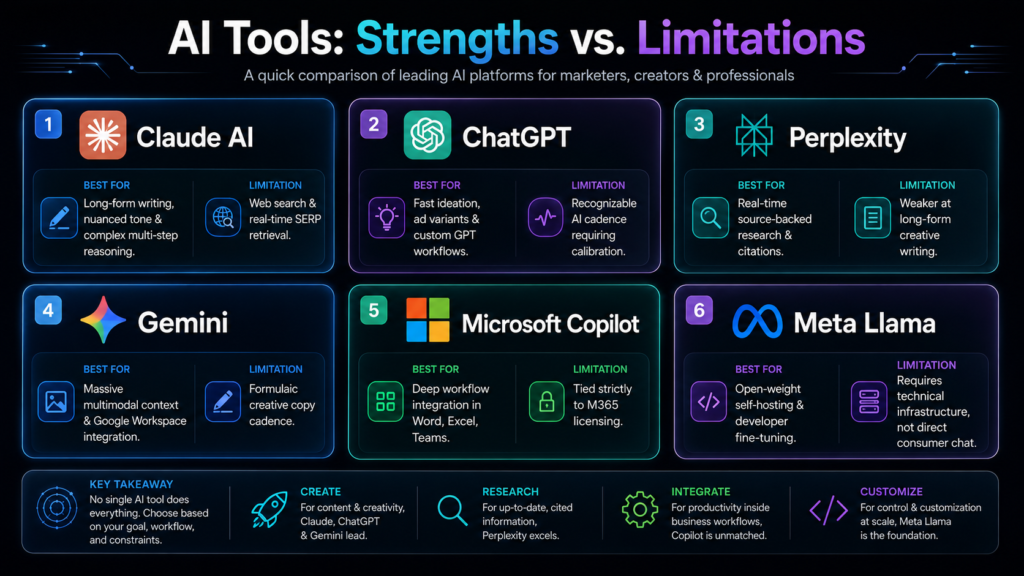
| Tool | Best For | Main Limitation |
| Claude AI | Long-form writing, nuanced tone, complex multi-step reasoning, schema and code generation | Native web search and real-time SERP retrieval lag behind research-focused tools |
| ChatGPT | Fast ideation, high-volume ad variants, custom GPT workflow automation, broad plugin ecosystem | Output often needs heavy calibration to avoid a generic, recognizable AI cadence |
| Perplexity | Real-time, source-backed research and citation gathering | Weaker at long-form creative writing, tone modeling, and dynamic copy iteration |
| Gemini | Massive multimodal context and deep Google Workspace/Search integration | Creative copy can feel formulaic compared to Claude’s natural cadence |
| Microsoft Copilot | In-workflow help inside Word, Excel, Outlook, and Teams | Capability is tied to your Microsoft 365 license and the underlying model version behind it |
| Meta Llama | Open-weight models developers can self-host, fine-tune, or embed in custom products | Not a consumer chat product — needs real technical setup to use directly, unlike Claude.ai or ChatGPT |
Why Claude AI Stands Apart
The honest answer isn’t that Claude AI wins every category — it doesn’t. What it consistently wins is the combination of large-context reasoning and prompt steerability. Feed it a genuinely complex instruction set — audience data, negative constraints, a specific structural template, a house style guide — and it holds every one of those constraints simultaneously across a long output. ChatGPT and Gemini can follow individual instructions well; where Claude separates itself is consistency across dozens of stacked instructions in a single long-context task, which is exactly what a real content operation or agentic workflow demands.
The second differentiator is agentic reliability. Claude Code and Claude Cowork extend this same reasoning approach into multi-step, semi-autonomous execution — planning a task, working through it, and checking its own output — rather than requiring a human to babysit every intermediate step. For marketers, that shows up as fewer editorial passes. For developers, it shows up as fewer broken intermediate states in a long agentic run.
Real-World Case Study: How Claude AI Drove a 210% Organic Traffic Increase in 90 Days
The clearest answer to “is Claude AI actually useful” is a real result, not a feature list. I ran an organic search and content repositioning campaign for a regional retail and e-commerce client entering a competitive home and lifestyle niche, going head-to-head against much larger national competitors on mid-tail commercial keywords.
Rather than generic keyword targeting, the campaign leaned on Claude AI for three specific functions:
- Entity mapping and search-intent alignment. We fed Claude AI our full keyword clusters alongside a competitor SERP gap analysis. It extracted missing sub-entities, generated contextual FAQ structures, and mapped an internal linking path tied directly to the buyer’s journey — not just a flat list of related keywords.
- High-volume, nuanced long-form production. We produced 2,000+ word pillar guides and supporting cluster posts. Claude AI maintained stylistic nuance and depth across each piece, avoiding the generic phrasing that typically forces a full editorial rewrite — which materially cut review time.
- Technical SEO layering. We used Claude AI to draft precise JSON-LD schema markup for FAQ, Product, and How-To content types, tailored for both traditional search indexing and AI-driven retrieval engines.
| Metric | Result (90 Days) |
| Organic search traffic | +210% |
| Keywords reaching top 3 (previously pages 3–4) | 14 high-intent commercial terms |
| Content production turnaround | −45% |
That turnaround number is easy to skim past, but it’s arguably the more important figure. Cutting the pipeline from ideation to publishing by nearly half meant the team could sustain the cluster-deployment pace needed to actually win those rankings — without loosening editorial or search-intent standards to get there.
Strategic Frameworks & Best Practices
Common Mistakes Marketers and Developers Make With Claude AI
The single biggest mistake is treating Claude AI like a search engine or a single-shot query box instead of an in-context reasoning tool. In practice, that breaks down into three specific, fixable habits:
- Under-utilizing the context window. Feeding Claude AI an isolated one-line prompt — “write a blog post about SEO” — instead of loading in brand voice guidelines, competitor transcripts, customer interview notes, or a full keyword spreadsheet before asking for execution.
- Expecting zero-constraint output. Asking for strategy or copy without defining audience maturity, funnel stage, conversion goal, or explicit negative constraints — what not to say. Without those boundaries, you get polished, generic copy instead of sharp, high-converting assets.
- Using it as a live trend tracker instead of a synthesis engine. Claude AI is fundamentally a drafting and synthesis tool, not a live SERP scraper or real-time news feed. Asking it to verify live facts without supplying source documents leads directly to frustration over outdated or missing real-time data.
The fix across all three: treat Claude like a senior strategist sitting across your desk, not a vending machine. Supply raw source files, define clear negative constraints, set the tone architecture explicitly, and let it synthesize complex inputs into a genuinely publish-ready draft.
The CCER Framework: Context → Constraint → Execution → Refinement
This is the exact framework used to produce the case study results above, and it’s designed specifically to eliminate generic AI output on the first pass.
- Step 1 — Context. Give Claude the raw material a senior strategist would need before starting: target audience pain points and buying triggers, the primary goal (organic capture, mid-funnel conversion, brand awareness), and source data — raw notes, competitor gaps, or keyword clusters, pasted in directly.
- Step 2 — Negative Constraints. Explicitly list what to avoid: generic setup phrases and clichés (“In today’s fast-paced digital world”), passive voice, corporate jargon, superficial listicles, and any claim made without a practical mechanic behind it.
- Step 3 — Execution Specifications. Define the primary keyword focus, the exact structure (H2/H3 hierarchy, bulleted takeaways, comparison table), and the tone and voice — direct, authoritative, peer-to-peer, data-informed.
- Step 4 — Refinement Critique. Before delivering output, have Claude review its own draft against every constraint from Step 2: Did it violate any negative constraint? Is the tone authentic and fluff-free? Then instruct it to output only the polished final deliverable.
A condensed template you can copy directly:
Act as a Principal Digital Strategist and Conversion Copywriter.
1. CONTEXT: [audience, primary goal, raw source data/keyword clusters]
2. NEGATIVE CONSTRAINTS: No generic filler, clichés, passive voice, or
unbacked claims.
3. EXECUTION: [keyword focus, structure, tone — direct and data-informed]
4. REFINEMENT: Check your draft against constraints 1–3 internally,
then output only the final, polished deliverable.
The mechanism behind why this works is simple: negative constraints anchor the tone by banning AI clichés upfront, raw context ingestion eliminates fluff by grounding the output in proprietary insight instead of a generic web summary, and the built-in critique loop means the first output is already close to final editorial quality — which is exactly what makes Claude AI usable at production speed rather than as a rough-draft generator you have to rewrite from scratch.
Claude AI Pricing and Plans: Which Tier Fits Your Workflow
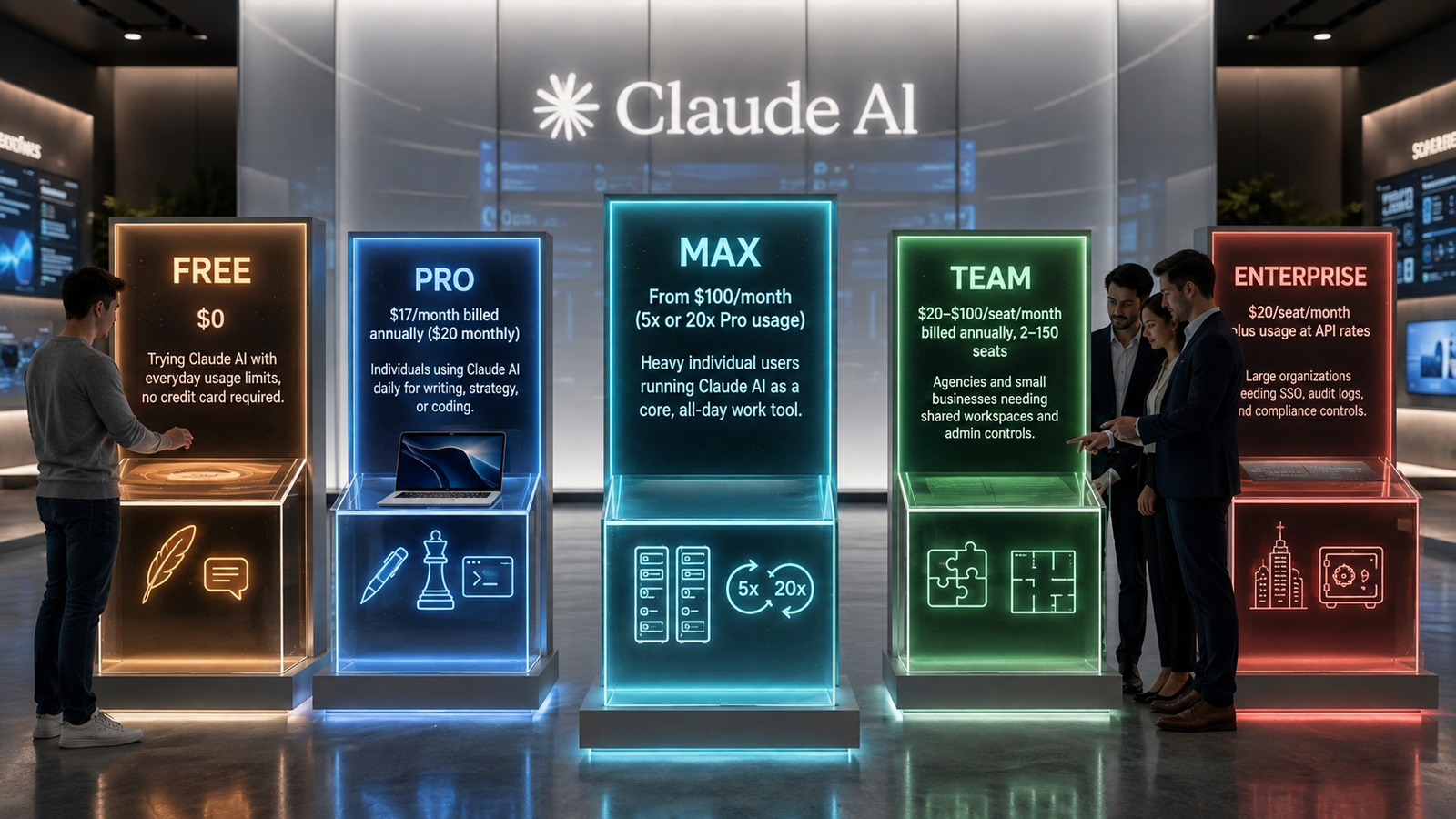
| Plan | Price | Best For |
| Free | $0 | Trying Claude AI with everyday usage limits, no credit card required |
| Pro | $17/month billed annually ($20 monthly) | Individuals using Claude AI daily for writing, strategy, or coding |
| Max | From $100/month (5x or 20x Pro usage) | Heavy individual users running Claude AI as a core, all-day work tool |
| Team | $20–$100/seat/month billed annually, 2–150 seats | Agencies and small businesses needing shared workspaces and admin controls |
| Enterprise | $20/seat/month plus usage at API rates | Large organizations needing SSO, audit logs, and compliance controls |
Prices reflect Anthropic’s published rates as of August 2026 and are subject to change — confirm current numbers on Anthropic’s official pricing page before budgeting a team rollout.
Frequently Asked Questions
- What is Claude AI and is it free to use? Yes. When evaluating what is Claude AI, beginners can start on the Free tier across web, iOS, Android, and desktop apps with basic daily limits and no credit card required. For advanced performance, Claude AI for Marketers and professional builders offers paid tiers like Pro, Max, and Team to unlock full speed, priority access, and expanded reasoning capacities.
- How does Claude AI vs ChatGPT compare for enterprise workflows? When analyzing Claude AI vs ChatGPT, the choice depends on your specific production goals. Claude AI generally excels at nuanced long-form writing, strict tone adherence, complex code refactoring, and multi-step prompt execution without drifting. In contrast, ChatGPT stands out for rapid ideation, high-volume short ad variations, and custom bot automations. For high-converting copy and complex workflows, teams frequently prefer Claude AI for Marketers over generic text engines.
- What are the core Claude AI features and primary use cases? The primary Claude AI features include long-form content generation, search intent clustering, agentic coding with Claude Code, file automation via Claude Cowork, and persistent workspaces using Projects and Artifacts. Understanding what is Claude AI helps growth teams deploy these Claude AI features for technical SEO layering, schema markup generation, customer research synthesis, and cross-platform multi-tasking.
- How does Claude AI compare to Microsoft Copilot and Meta Llama? Microsoft Copilot is designed specifically for in-workflow support within Microsoft 365 applications like Word and Excel, while Meta Llama provides open-weight models that technical builders can self-host and customize. Neither provides the exact out-of-the-box reasoning engine and dedicated workflow capabilities that make Claude AI for Marketers and builders so effective for end-to-end digital campaigns.
- Is Claude AI safe for commercial and client data? Anthropic maintains a safety-first development model, offering dedicated Team and Enterprise plans equipped with Single Sign-On (SSO), centralized administration, compliance standards, and audit logs. When testing Claude AI vs ChatGPT or other platforms for client deliverables, review your data retention settings and implement human editorial oversight prior to publishing.
- Does Claude AI offer large context window support? Yes. Among the most notable Claude AI features is its massive memory capacity. Flagship models support up to a 1 million token context window on paid tiers, while the entry-level Haiku model handles a 200,000 token window. This capability allows Claude AI for Marketers to ingest entire brand style guides, competitive audits, and complex codebases in a single prompt without losing context
Conclusion: Building Claude AI Into a Modern Marketing and Development Stack
Claude AI isn’t simply another generic chatbot; it is a foundational pillar for next-generation content operations and technical workflows. When exploring what is Claude AI from a strategic standpoint, it becomes evident that its true power lies in context retention, nuanced output, and strict steerability. For teams evaluating Claude AI for Marketers and technical builders, the platform consistently outperforms competitors in high-context tasks, delivering drafts that require meaningfully less editorial cleanup.
Final Verdict: Claude AI vs ChatGPT and the Broader Ecosystem
When running Claude AI vs ChatGPT, Perplexity, or Gemini side by side, no single model sweeps every category. However, understanding the core strengths of each tool allows you to build an unbeatable multi-model pipeline:
- Claude AI: Deploy it as your primary engine for nuanced, 2,000+ word pillar posts, JSON-LD schema generation, complex prompt adherence, and long-context strategy documents.
- ChatGPT: Utilize it for rapid-fire ideation, high-volume ad copy variations, and custom automation scripts.
- Perplexity & Gemini: Pair them with Claude to handle real-time SERP fact-checking, citation retrieval, and deep ecosystem data access.
Maximizing ROI With Core Claude AI Features
To unlock the full potential of Claude AI for Marketers, you must leverage the full suite of Claude AI features rather than relying solely on the default chat window:
- Artifacts & Projects: Anchor your brand guidelines, keyword matrices, and target audience personas inside dedicated workspaces so every generation inherits strict contextual constraints.
- Claude Code & Cowork: Bridge the gap between ideation and deployment by automating schema markup, technical site fixes, and multi-step file organization without manual friction.
- Extended Thinking & Context Windows: Take full advantage of the 1-million-token memory to analyze whole content clusters and competitor reports in a single query.
Before deploying another one-line prompt, run your brief through the CCER (Context, Constraint, Execution, Refinement) framework. Grounding the reasoning engine in proprietary data and negative constraints is the most reliable way to turn Claude AI into a high-converting growth driver for your business